An Expedia receipt is the itemized record of a booking — flights, hotels, cars, or a package — tied to your itinerary number. Travelers most often need it to request a receipt for an expense report or reimbursement. This guide shows how to get and request a receipt from Expedia, what's on it, and how to get an itemized copy for a hotel or flight.
Expedia Receipt
Add custom logo
Edit line items
Choose payment method
Add/remove elements
Customize business information
Choose font
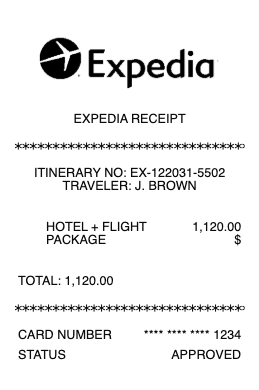
What's on an Expedia receipt
An Expedia receipt ties everything in a trip to one reference:
Itinerary number — the booking's unique reference, used to look it up and request a receipt.
Traveler & booking dates — who traveled and the travel and booking dates.
Itemized components — each flight, hotel, or car with its own price, since a package can bundle several.
Taxes & fees — airline taxes, hotel occupancy taxes, and any Expedia service or booking fees.
Total & payment method — the amount charged and the card used.
Confirmation status — the paid or confirmed status of each component.
How to get or request a receipt from Expedia
Expedia keeps a receipt for every booking in your account. Online: sign in, open Trips (My Trips), select the itinerary, and view or print the receipt from the booking details. By email: Expedia sends a confirmation with the itinerary and price breakdown when you book, so searching your inbox for "Expedia" often finds it fastest. If you need a specific itemized or formatted receipt request — for example a paid hotel folio — you can request it through Expedia customer service with your itinerary number, or get the hotel's own folio at check-out for the room portion.
Getting an itemized Expedia receipt for a hotel or flight
For reimbursement, you'll usually need the itemized receipt, not just the total charge. The receipt in My Trips breaks a booking into its parts — the flight fare and taxes, the nightly hotel rate and occupancy taxes, and any fees — which is what most expense systems require. A note on hotels: because you often pay Expedia rather than the property, the hotel's own folio may show a $0 balance; if your employer wants the property's itemized folio, request it at check-out, and use the Expedia receipt to prove what you actually paid.
Finding a booking by itinerary number
The itinerary number is the key to everything on Expedia. It's on your confirmation email and in My Trips, and it's what customer service will ask for to look up a booking or reissue a receipt. If you booked as a guest without an account, use the itinerary number and the email you booked with to retrieve the trip. Keeping the confirmation email means you always have the number handy — and with it, you can pull the receipt for any past trip when expense season arrives.
Related hotel receipts: see also our Booking.com receipt guide and our hotel receipt guide.
Expedia receipt templates and copies
If a confirmation is hard to read or you need a clean itemized copy for an expense file, our receipt template and generator can reproduce a travel receipt — itinerary reference, itemized flights or hotel nights, taxes and fees, and total — formatted for easy filing.
For legitimate record-keeping only. Creating a receipt for a booking you didn't make, or misstating a trip's cost for reimbursement, is fraud. Use this only to reproduce or organize your own genuine Expedia bookings.
When the airline issued the ticket, its own itinerary receipt is often the clearer record; the flight receipt example shows what it contains.
Frequently asked questions
Everything you need to know about the product and billing.
How do I get a receipt from Expedia?
Sign in, open My Trips, select the itinerary, and view or print the receipt from the booking details. Expedia also emails a confirmation with the price breakdown when you book, which you can search your inbox for.
How do I request an itemized receipt from Expedia?
The receipt in My Trips is itemized by component (flight, hotel, car) with taxes and fees. For a specific formatted receipt, request it through Expedia customer service with your itinerary number; for the room portion, you can also get the hotel's folio at check-out.
What is the itinerary number on Expedia?
It's the unique reference for your booking, shown on your confirmation email and in My Trips. Customer service uses it to look up a trip or reissue a receipt, and guests can use it with their email to retrieve a booking.
Why does my hotel folio show $0 when I booked through Expedia?
Because you often pay Expedia rather than the hotel directly, the property's folio may show no balance. Use your Expedia receipt to prove what you paid, and request the hotel's itemized folio at check-out if your employer needs it.
How do I get an Expedia receipt for an expense report?
Open the itinerary in My Trips and print or save the itemized receipt, which separates the fare, room rate, taxes, and fees. That's the version expense systems require rather than just the card charge.
Can I get an Expedia receipt without an account?
Yes. If you booked as a guest, use your itinerary number and the email address you booked with to retrieve the trip and its receipt, or contact Expedia customer service with those details.