Everything about Family Dollar receipts — the 30-day return policy, how to request a duplicate receipt, receipt lookup options, and a free Family Dollar receipt generator for personal record-keeping and expense tracking.
Family Dollar Receipt
Add custom logo
Edit line items
Choose payment method
Add/remove elements
Customize business information
Choose font
What Is a Family Dollar Receipt?
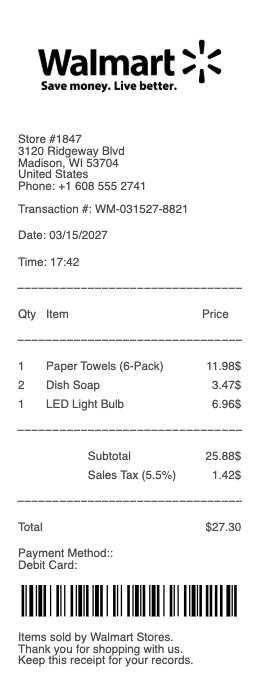
Family Dollar is one of America's largest discount retail chains, with more than 8,000 stores across 46 states. Every in-store purchase prints a receipt that serves as your proof of purchase, return authorization, and savings record. A standard Family Dollar receipt includes the store number and address, cashier ID, transaction date and time, itemized product list with prices, any coupons or Smart Coupons applied, subtotal, sales tax, total amount, and payment method.
Family Dollar 30-Day Return Policy
Family Dollar's standard return window is 30 days from the date of purchase:
With receipt: Full refund to your original payment method for most items in new, unused condition.
Without receipt: Store credit only, at the current lowest price. A valid government-issued photo ID is required, and Family Dollar tracks no-receipt returns to prevent abuse.
Exceptions: Opened consumables (food, personal care), seasonal items, and electronics may have additional restrictions. Firearms and ammunition are non-returnable.
Online purchases: Items bought at familydollar.com have a separate return process — initiate via your account or customer service within 30 days.
Family Dollar Duplicate Receipt Request
Lost your receipt? Family Dollar offers a duplicate receipt request process — one of the few dollar store chains to do so officially. Here's how:
Contact Family Dollar customer service at 1-844-636-7687 or via the contact form at familydollar.com
Provide your store number, approximate purchase date, and the payment card used
Customer service can look up the transaction and issue a duplicate receipt confirmation
This only works for card-based purchases (credit, debit, or EBT). Cash transactions without a loyalty account scan cannot be recovered.
Family Dollar Receipt Lookup
Beyond the duplicate request process, you can look up receipts via:
Family Dollar Smart Coupons app: If you were signed in and scanned your account at checkout, your purchase history is stored in the app under "My Account."
Email receipt: If you opted into email receipts, check your inbox for the confirmation from Family Dollar.
In-store manager: On the day of purchase, a store manager can sometimes reprint a receipt from the POS system using your payment card.
Receipt Books at Family Dollar
Family Dollar stores sell blank receipt books — spiral-bound manual receipt pads used by landlords, contractors, and small businesses. They're typically in the office/stationery section for $1–$2. Family Dollar is one of the most affordable places to grab a receipt book in person, alongside Dollar General and Dollar Tree.
EBT/SNAP at Family Dollar
Family Dollar accepts EBT cards for eligible food purchases. Your receipt will show the EBT-eligible items subtotal, the amount charged to your EBT account, and your remaining EBT balance — useful for tracking benefit spending without contacting your EBT provider.
Generate a Family Dollar Receipt
Need a Family Dollar-style receipt for expense reimbursement, personal record-keeping, or demonstration? Our free Family Dollar receipt generator lets you create a realistic receipt with custom store details, items, prices, and totals — downloadable as PDF or image in seconds.
Legal notice: Receipts generated on this site are for legitimate personal use only — expense tracking, reimbursement requests, record-keeping, and training. Creating fraudulent receipts for return fraud or financial deception is illegal under state and federal law.
Use our free Family Dollar receipt generator to create a realistic receipt for expense reimbursement or personal record-keeping. Enter store number, date, items, prices, and payment method. Download as PDF or PNG instantly — no account required.
Family Dollar's return window is 30 days with the original receipt for a full refund to your original payment method. Items must be new and unused. Without a receipt, you receive store credit at the current lowest price — a valid ID is required and returns are tracked by ID.
Family Dollar has an official duplicate receipt request process: call 1-844-636-7687 or submit a request at familydollar.com with your store number, purchase date, and payment card info. Customer service can locate card-based transactions and issue a duplicate. Cash purchases cannot be recovered this way.
Signed into the Family Dollar Smart Coupons app at checkout? Your purchase history is saved under "My Account." You can view past transactions and use them as proof of purchase for returns. Email receipts are also available if you opted in at checkout.
Family Dollar sells blank receipt books in the stationery aisle — typically $1–$2 each. These spiral-bound manual receipt pads are used by landlords, contractors, and small business owners. Family Dollar and Dollar General are two of the easiest places to buy a receipt book without ordering online.
Frequently
asked questions
Everything you need to know about the product and billing.
What is Family Dollar's return policy with a receipt?
Family Dollar accepts returns within 30 days of purchase with the original receipt. Items must be in new, unused condition. You'll receive a full refund to your original payment method — cash, credit/debit card, or EBT.
Can I return to Family Dollar without a receipt?
Yes, but you'll only receive store credit at the current lowest price — not a cash refund. A valid government-issued photo ID is required. Family Dollar tracks no-receipt returns by ID to prevent abuse, so this option is limited.
How do I request a duplicate receipt from Family Dollar?
Contact Family Dollar customer service at 1-844-636-7687 or submit a request at familydollar.com. Provide your store number, approximate purchase date, and payment card. They can locate card-based transactions and issue a duplicate. Cash purchases cannot be recovered.
Does Family Dollar have receipt lookup?
Yes, through two methods: (1) the Family Dollar Smart Coupons app shows your purchase history if you were signed in at checkout, and (2) customer service can look up card-based transactions via the duplicate receipt request process.
Does Family Dollar sell receipt books in store?
Yes. Family Dollar stocks blank receipt books (manual receipt pads) in the office/stationery aisle, typically priced at $1–$2. They're used by landlords, contractors, and small businesses for issuing paper receipts.
Does Family Dollar accept EBT and show balance on receipt?
Yes. Family Dollar accepts EBT cards for eligible food purchases. Your receipt shows the EBT-eligible items subtotal, the amount charged to your EBT card, and your remaining EBT balance at the bottom of the receipt.