Sam's Club Receipt

Add custom logo
Edit line items
Choose payment method
Add/remove elements
Customize business information
Choose font

Overview of a Sam's Club Receipt

A Sam's Club receipt documents purchases made at one of the largest members-only warehouse clubs in the United States. Owned and operated by Walmart Inc., Sam's Club serves millions of members through two tiers: Club (standard) and Plus (premium). Because every customer is a paying member, the receipt doubles as a membership purchase record — useful for business expense tracking, reimbursements, and returns.

Sam's Club receipts are issued at in-store checkout lanes and via the Scan & Go app, which lets members self-checkout by scanning items with their phone. When using Scan & Go, a digital receipt is automatically saved in the app — no paper needed. Both formats contain the same core information.

What a Sam's Club Receipt Includes

  • Store number and location — identifies the specific club and city

  • Transaction date and time — exact timestamp of the purchase

  • Cashier or register number — or "Scan & Go" if self-checkout was used

  • Item descriptions — product name, item number, and quantity

  • Member's Mark items — Sam's Club private-label brand, marked distinctly

  • Instant Savings — promotional discounts applied at checkout, marked "I"

  • eValues discounts — Sam's Plus member rewards, marked "E"

  • Sales tax breakdown — food vs. non-food tax lines where applicable

  • Payment method — credit, debit, EBT, or Sam's Club Mastercard

  • Membership number — last few digits identifying the account

  • Subtotal and total

Understanding Sam's Club Receipt Codes

Sam's Club uses single-letter codes next to line items to indicate special pricing or tax status:

  • F — Fresh food item (may be taxed differently by state)

  • I — Instant Savings applied (a promotional price reduction)

  • E — eValues discount (exclusive to Sam's Plus members)

  • T — Taxable item

  • N — Non-taxable item

These codes help members reconcile their receipt with the expected price and are useful when submitting receipts for employer reimbursements or tax purposes.

Sam's Club Return Policy

Sam's Club maintains a generous return policy that does not require a receipt in most cases. Because all purchases are tied to a membership account, Sam's Club can look up any transaction using your membership number. Members can return most merchandise at any time for a full refund, with these exceptions: electronics and major appliances must be returned within 90 days; tires and batteries carry manufacturer warranties. Gas purchased at Sam's Club fuel stations and dispensed prescription medications are non-refundable. For all other items, no-receipt returns are handled at the Member Services desk via account lookup.

Legal Notice: Sam's Club receipts are official transaction records issued by Sam's West, Inc. Reproducing a Sam's Club receipt for fraudulent purposes — including falsifying purchase amounts, dates, or items — is a criminal offense under federal and state law. Any receipt template on this page is provided solely for educational, design reference, and legitimate personal documentation purposes.

Sam's Club® is a registered trademark of Sam's West, Inc., a subsidiary of Walmart Inc. Any Receipt Generator is not affiliated with, endorsed by, or sponsored by Sam's Club or Walmart Inc.
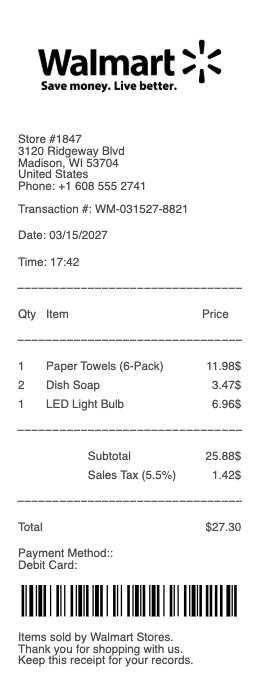
Sam's Club Receipt

Sam's Club Receipt Generator

Need a Sam's Club-style receipt for a purchase record, reimbursement request, or expense report? Any Receipt Generator lets you create a customizable Sam's Club receipt template in minutes — no account required. Enter your store number, transaction date, membership tier, item descriptions with prices, and payment method to generate a professional-looking receipt. Download it as a PDF or PNG, or print directly from your browser. Every field matches the layout of an actual Sam's Club receipt, including the Scan & Go digital format.

Sam's Club Receipt Lookup — How to Find a Lost Receipt

If you misplaced a Sam's Club receipt, you have several recovery options. The easiest is the Sam's Club app — all in-club purchases and Scan & Go orders are automatically stored under your account's purchase history. Log in, tap "Account," and navigate to "Purchase History" to find and re-download any receipt from the past 12 months. Alternatively, log into SamsClub.com, go to your account, and select "Orders & Purchases." Sam's Club Plus members also receive a year-end spending summary that can serve as supplementary documentation for annual expense tracking.

What Do the Codes on a Sam's Club Receipt Mean?

Sam's Club receipts include letter codes next to certain items that confuse many shoppers. Here is what each code means: F indicates a fresh food item, which may carry a different sales tax rate depending on your state. I means an Instant Savings discount was applied — a promotional markdown shown separately from the item price. E indicates an eValues discount exclusive to Sam's Plus members. T marks a taxable item and N marks a non-taxable one. When your receipt total differs from what you expected, these codes are the first place to look — especially if you are a Plus member who should be receiving eValues that did not appear.

Sam's Club Return Without Receipt

Sam's Club does not require a physical or digital receipt to process most returns. Since every purchase is linked to your membership number, associates at the Member Services desk can pull up your complete transaction history and initiate a return on the spot. Most general merchandise — including food, clothing, furniture, and small appliances — can be returned at any time with no time limit. Electronics and major appliances (televisions, computers, cameras, projectors, and major appliances) must be returned within 90 days of purchase. Items with manufacturer warranties, such as tires and batteries, follow the terms of those warranties instead. The only categories that cannot be returned under any circumstances are gas station fuel and dispensed prescription medications.

Sam's Club Scan & Go Receipts

Sam's Club Scan & Go is a mobile checkout feature available in the Sam's Club app that lets members scan items as they shop and pay directly from their phone — bypassing the checkout line entirely. When a Scan & Go transaction is complete, a digital receipt is instantly generated and stored in the app under "My Receipts." A unique QR code is displayed on-screen and scanned by a Sam's Club associate at the exit — this is the member's proof of payment for that visit. These digital receipts are identical in information to paper receipts and are fully accepted for returns, expense reporting, and employer reimbursements. The QR code serves as both a receipt identifier and a transaction validation tool.

Frequently
asked questions

Everything you need to know about the product and billing.

Can you return to Sam's Club without a receipt?
Yes. Sam's Club does not require a physical receipt for most returns. Because all purchases are linked to your membership account, the Member Services desk can look up any transaction using your membership number and process the return on the spot. Most general merchandise has no return time limit. Electronics and major appliances must be returned within 90 days. Gas and dispensed prescriptions cannot be returned.
How do I find my Sam's Club receipt online?
Log in to the Sam's Club app or SamsClub.com and navigate to Account > Purchase History for in-club purchases, or Orders & Purchases for online orders. In-club receipts from the past 12 months are stored automatically. Sam's Club Plus members also receive an annual spending summary. Scan & Go receipts are saved under 'My Receipts' in the app immediately after checkout.
What do the letter codes on a Sam's Club receipt mean?
Sam's Club uses single-letter codes next to line items: F = Fresh food item (different tax rate may apply by state); I = Instant Savings discount applied at checkout; E = eValues discount exclusive to Sam's Plus members; T = Taxable item; N = Non-taxable item. If your receipt total differs from what you expected, check for I and E codes first.
How does Sam's Club Scan & Go work and where is the receipt?
Scan & Go is a Sam's Club app feature that lets members scan items while shopping and pay from their phone, skipping the checkout line. When payment is complete, the app generates a digital receipt and displays a QR code. A Sam's Club associate scans the QR code at the exit as proof of payment. The digital receipt is saved in the app under 'My Receipts' and is fully accepted for returns and expense reporting.
What is the difference between Sam's Club and Sam's Plus membership on a receipt?
Sam's Club has two tiers: Club (standard) and Plus (premium, ~$110/year). On receipts, Plus members see an E code next to items where an eValues discount was applied — a benefit exclusive to Plus members. Plus members also earn 2% cash back on most purchases (up to $500/year), tracked through the membership account. The membership tier is indicated in the receipt header.
Is a Sam's Club receipt valid for business expense reimbursement?
Yes. A Sam's Club receipt — paper or digital from Scan & Go — is a valid business expense document. It includes the store location, transaction date and time, itemized purchases with prices, sales tax breakdown, and payment method. The digital receipt from the Sam's Club app carries the same evidentiary value as a paper receipt. Sam's Plus members can also use their annual spending summary as supplementary documentation.