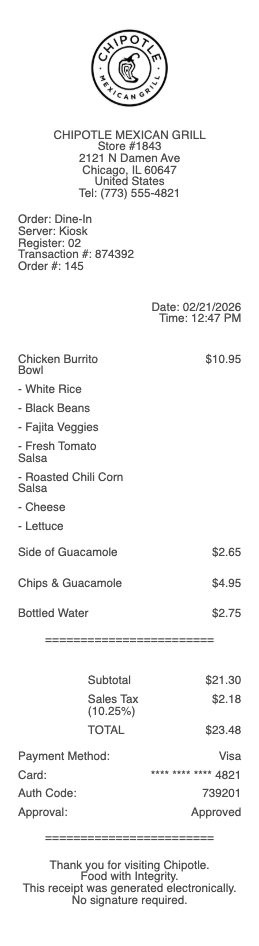
Overview of a Taco Bell Receipt
A Taco Bell receipt is issued at the end of every in-store, drive-through, or mobile order transaction at one of the more than 8,000 Taco Bell locations across the United States. The receipt serves as an itemized record of the purchase and — critically — contains two features unique to Taco Bell: a survey code for the TellTheBell customer satisfaction survey, and a scannable barcode used to manually add the order to the Taco Bell app for Live Más Rewards points.
Taco Bell receipts from third-party delivery platforms such as DoorDash and Uber Eats look different from in-store receipts. Delivery receipts are generated by the platform, not Taco Bell directly, and do not contain the TellTheBell survey code or the Rewards scan barcode.
What a Taco Bell Receipt Includes
Restaurant number and address — identifies the specific location
Order number — used to identify your order at the counter or drive-through window
Cashier or terminal ID — identifies the register used
Transaction date and time
Itemized order — each menu item with its price (Crunchwrap Supreme, Doritos Locos Tacos, Baja Blast, etc.)
Customizations — add-ons and substitutions are noted on the receipt
Subtotal, tax, and total
Payment method — cash, card, or mobile payment
TellTheBell survey code — a unique code printed at the bottom, used at TellTheBell.com to complete the customer survey
Barcode or QR code — scan in the Taco Bell app to add receipt to your account for Rewards points
The TellTheBell Survey
Every Taco Bell receipt includes an invitation to complete the TellTheBell customer satisfaction survey at TellTheBell.com. The receipt prints a unique survey code at the bottom that must be entered to access the survey. In exchange for completing the survey — which takes approximately two minutes — Taco Bell typically offers a reward such as a free item or discount on a future visit. The survey code expires within 72 hours of the transaction date, so act quickly if you want the reward.
Note: the survey code is only printed on receipts issued at Taco Bell locations directly. Orders placed through DoorDash, Uber Eats, or other third-party platforms do not receive a TellTheBell survey code.
Scanning Your Taco Bell Receipt for Rewards Points
If you forgot to scan your Taco Bell app before ordering, you can still earn Live Más Rewards points by scanning your receipt in the app after the visit. Open the Taco Bell app, navigate to the Rewards section, and select "Scan Receipt." Point your camera at the barcode on the bottom of your receipt. The app will validate the receipt and credit the points to your account. This feature is available for a limited window after purchase — typically within 24 hours. Receipts from delivery orders through third-party apps cannot be scanned for Rewards points through the Taco Bell app.
Legal Notice: Taco Bell receipts are official transaction records issued by Taco Bell Corp. Reproducing a Taco Bell receipt for fraudulent purposes — including falsifying order amounts, dates, survey codes, or Rewards barcodes — is a criminal offense under federal and state law. Any receipt template on this page is provided solely for educational, design reference, and legitimate personal documentation purposes.
Taco Bell® is a registered trademark of Taco Bell Corp. Any Receipt Generator is not affiliated with, endorsed by, or sponsored by Taco Bell Corp. or Yum! Brands, Inc.